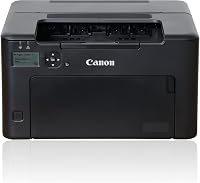
Does the Brother HL-L2405W Have Scanning?
No. The Brother HL-L2405W is a print-only monochrome laser printer, so it has no scanner or copier built in. If you need to scan documents, a Brother all-in-one or a standalone scanner is the way to add that function.
On this page (7 sections)
- What does the HL-L2405W actually do?
- How can you scan without buying a new printer?
- Which Brother printers add scanning?
- Do you really need a flatbed, or is a document feeder enough?
- What changes when scanning moves into the printer?
- How does Brother compare with Canon for scan and copy?
- What should you check before ordering?
No. The Brother HL-L2405W is a print-only monochrome laser printer, so it has no scanner or copier built in.
If scanning is part of your day, that's the whole answer, and the question becomes which Brother model to buy instead. If the question "does the Brother HL-L2405W have scanning" brought you here before ordering, you just avoided a return.
The HL-L2405W does what a mono laser does well: fast text pages on plain paper. It just can't read a page, so anything involving scanning, copying or faxing needs another device.
Below is how to get scanning into your setup without buying the wrong printer twice.
What does the HL-L2405W actually do?
The HL-L2405W prints monochrome pages. Brother builds it for plain paper documents, and that's where your money goes.
The model name is the clue. Brother uses HL for printer-only machines, DCP for copy and scan, and MFC for copy, scan and fax.
An HL badge tells you the scan glass isn't there, and the spec sheet backs that up. The HL-L2405W lists print as its only function.
Every dollar goes into the print engine, paper path and wireless connection. There's no flatbed glass on top, no document feeder and no copy button.
A page goes in and comes out printed. A page that goes in as a document you want to digitize goes nowhere.
That's not a flaw. A lot of households and small desks print shipping labels, packing slips, essays and forms and never scan.
For that buyer, skipping the scanner keeps the machine smaller and cheaper. The trap is ordering on price before checking the letter prefix.
Check it first. The HL-L2405W is the right buy if you only print, and the wrong one if you scan.
How can you scan without buying a new printer?
You add a standalone scanner next to the HL-L2405W. A flatbed or document scanner connects to your computer by USB.
The printer keeps printing while the scanner handles pages. This works well when the printer is already set up and you'd rather not replace it.
A small flatbed takes about as much desk depth as a sheet of paper. A document scanner with an automatic feeder is taller, but it chews through stacks.
Two limits are worth knowing before you choose this path. First, you can't press copy on the printer.
A copy means scanning on the separate device and sending the file to print. Second, you now have two power bricks, two USB cables and two drivers.
For occasional scanning, that's fine. For daily paperwork, it's friction.
The combined cost is usually close to an all-in-one. A decent flatbed scanner plus the HL-L2405W can land near what a Brother DCP costs.
Compare the total before you commit. If you're replacing a printer anyway, an all-in-one is simpler.
If the HL-L2405W is already on your desk, adding a scanner is the cheaper rescue.
Which Brother printers add scanning?
Brother's DCP and MFC machines put a scanner in the same footprint as a printer. Three current models cover most of what a scanning household needs, and each one keeps the fast mono printing the HL line is known for.
Who should pick the Brother HL-L2480DW?
Pick the HL-L2480DW if you want the smallest step up from print-only to scan. It's a 3-in-1 with a flatbed scan glass, so you get print, copy and scan in one compact machine.
Printing runs up to 36 pages per minute on black and white, and automatic duplex saves paper. The 2.7 inch touchscreen lets you print from and scan to cloud apps, and the Brother Mobile Connect app handles both from a phone.
Wireless is dual-band, with Ethernet and USB as fallbacks. The flatbed is the key part: it handles a single page, a book or an ID card.
That covers occasional scanning without the bulk of a document feeder.
Who should pick the Brother MFC-L2820DW?
Pick the MFC-L2820DW if you scan and fax multi-page documents. The 50-page auto document feeder takes stacks through copy, scan and fax without you feeding each sheet.
Scan speeds reach 23.6 ipm in black and white and 7.9 ipm in color. Print speeds run up to 34 ppm, and duplex is automatic.
The 2.7 inch touchscreen and Brother Mobile Connect app cover cloud scanning and phone printing. The extra function over the HL-L2480DW is fax, which matters for contracts and healthcare paperwork.
If you never fax, the feeder is still the reason to pick it. A stack of invoices goes through in one pass.
Who should pick the Brother DCP-L2640DW?
Pick the DCP-L2640DW if you want scan and copy without paying for fax. It combines printing, scanning and copying in one unit.
The 50-page automatic document feeder handles multi-page scan and copy jobs. Print speeds reach up to 36 ppm, scan speeds hit 23.6 ipm in black and white and 7.9 ipm in color.
Dual-band wireless, Ethernet and USB cover connections, and duplex is automatic. The 250-sheet tray means fewer paper refills.
This is the middle ground: the feeder and scan speed of the MFC without the fax modem. For a home office that scans receipts and prints invoices, that's most of what matters.
Do you really need a flatbed, or is a document feeder enough?
A flatbed handles anything you can lay flat. A document feeder handles stacks of same-size pages.
The HL-L2480DW's flatbed glass is the right tool for books, ID cards, single contracts and anything with staples or folds. An ADF like the one on the MFC-L2820DW or DCP-L2640DW is better for multi-page text.
A 50-page feeder turns a stack of invoices into a PDF without you touching each sheet. The trade-off is that an ADF can jam on thin paper and can't scan a book spine.
The best setup for a mixed workload is a machine with both. A flatbed-only unit is smaller and simpler.
An ADF-only scanner is rare on this class. If your scanning is mostly single pages, the HL-L2480DW's glass is enough.
If it's mostly stacks, go with a feeder model.
What changes when scanning moves into the printer?
Copying gets simpler. With an all-in-one, a page goes on the glass or into the feeder and a copy comes out.
No computer in the middle. Scanning to the cloud also gets easier.
The touchscreen on the HL-L2480DW and MFC-L2820DW scans straight to Google Drive, Dropbox, Evernote, OneNote and similar apps. The Brother Mobile Connect app does the same from a phone.
That matters for receipts and signed forms you want filed without a laptop. The other change is space.
An all-in-one replaces a printer plus a separate scanner with one box and one cord. The HL-L2480DW fits a compact footprint.
The MFC and DCP models are taller to make room for the feeder. If your desk is tight, measure before you buy.
Our look at are Brother laser printers good covers how the brand's mono machines hold up over time.
How does Brother compare with Canon for scan and copy?
Brother's all-in-ones lean toward fast mono printing with a scanner bolted onto the same engine. Canon's mono laser all-in-ones follow the same idea, and its color models add a different set of choices.
If scanning is your main need, compare feeder size, scan speed and whether fax is included before brand loyalty. Brother's DCP and MFC lines cover the basics well.
Canon's equivalent machines are worth a look if you also print color. Our Brother vs Canon laser printer comparison lines up the two brands on print quality and running costs.
If color scanning matters more, our guide to the best Canon laser printers covers models from compact to color. For a color printer review from the Brother side, the Brother HL-L3220CDW review looks at a compact color model.
What should you check before ordering?
Check the model letter first. An HL badge means print only, so the HL-L2405W won't scan.
A DCP badge means copy and scan. An MFC badge adds fax.
That one check settles the "does the Brother HL-L2405W have scanning" question for every Brother model you're comparing. Then match the scanner to your pages.
A flatbed suits single pages and odd shapes. A document feeder suits stacks.
Look at scan speed if you scan often: 23.6 ipm in black and white is quick for a desktop machine. Check the connection options too.
Dual-band wireless, Ethernet and USB appear across these three models, so pick based on your network.
If you already own the HL-L2405W, a standalone scanner is the cheap fix. If you're buying fresh and scan more than a page a week, skip the print-only model.
The HL-L2480DW is the smallest all-in-one in this group. Step up to the DCP-L2640DW for a feeder, or the MFC-L2820DW if fax is on your list.
The right buy depends on whether your scans are single pages or stacks. For most home offices that scan paperwork, a feeder model earns its place quickly.
Frequently asked questions
Can I add a scanner to the Brother HL-L2405W?
Yes. A standalone document or flatbed scanner connects to your computer by USB and works alongside the printer.
The printer stays a printer; the scanner handles the pages.
Does the HL-L2405W copy documents?
No. Copying needs a scanner to read the original, and the HL-L2405W doesn't have one.
A copy in this setup means scanning on a separate device and then printing the file.
Do I need a flatbed scanner or an automatic document feeder?
A flatbed handles single pages, books and odd-shaped items. An automatic document feeder saves time on stacks of same-size pages.
If you scan multi-page contracts or invoices often, an ADF model is the better fit.
Is an all-in-one Brother printer worth it over a printer plus a scanner?
Usually yes if desk space is tight. An all-in-one puts print, scan and copy in one footprint and one power cord.
A separate scanner makes sense if you already own the printer or scan far more than you print.
What's the difference between the HL and MFC letters in Brother model names?
HL models are printer-focused. DCP models add copy and scan.
MFC models add copy, scan and fax.
Checking those three letters tells you most of what a model can do before you read any specs.
Can I scan to my phone with a Brother all-in-one?
Yes, on models with wireless and the Brother Mobile Connect app. The app handles printing, scanning and supply tracking from a phone or tablet, so scans can go straight to a cloud folder or your device.