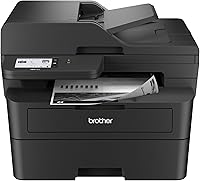
9 Best Brother All-in-One Laser Printers by Need (October 2026)
The best Brother all-in-one laser printers include the Brother DCP-L2640DW for compact monochrome work, the Brother MFC-L3780CDW for color and fax, and the Brother MFC-L2820DW for monochrome fax.
On this page (3 sections)
The Brother DCP-L2640DW is the best Brother all-in-one laser printer for most compact monochrome setups, with print, copy and scan functions, automatic duplex printing and a 50-page auto document feeder. For color and fax, consider the MFC-L3780CDW; for high-volume monochrome teams, look at the MFC-L5915DW.
These picks cover different jobs, from a home office that scans a few pages to a shared workgroup handling large two-sided documents. We compared the stated functions, document handling, connection options and print speeds, then matched those features to common office needs.
Start with whether you need color or fax. Then consider how often you scan multi-page documents, how many people will connect, and whether the printer will fit where you plan to place it.
For a broader look at scanner-equipped models, see our guide to laser printers with a built-in scanner.
Our picks at a glance
-
1

-
2

-
3

Which Brother all-in-one laser printer fits your work?
The DCP-L2640DW is the strongest compact monochrome pick, while the MFC-L3780CDW covers color and fax and the MFC-L5915DW targets high-volume teams. Choose a model by the tasks you repeat, not by its feature count alone.
A printer that handles occasional forms may not need a large feeder or fast two-sided scanning. If several people share it, Ethernet, wireless options and a feeder can matter more than a larger display.
Brother DCP-L2640DW: Best for compact monochrome work
- Prints up to 36 ppm
- 50-page auto document feeder
- Automatic duplex printing
- Dual-band wireless, Ethernet and USB
This compact monochrome model combines printing, copying and scanning, with a 50-page auto document feeder for multi-page jobs. Its connection options include dual-band wireless, Ethernet and USB.
Pros
- Automatic duplex printing
- 50-page auto document feeder
- Ethernet and dual-band wireless
Cons
- Monochrome printing only
- No fax function
The DCP-L2640DW is a monochrome 3-in-1 for a desk or small work area that needs printing, copying and scanning. Its 50-page auto document feeder can handle multi-page copy and scan jobs, and automatic duplex printing can make two-sided output easier.
Brother states print speeds up to 36 ppm and scan speeds up to 23.6 ipm for black and 7.9 ipm for color. It supports dual-band wireless, Ethernet and USB, so you can choose a network connection or connect it to one computer.
There is no fax function, so choose another model if sending faxes is part of your regular workflow. If you're comparing this model with a fax-equipped Brother, our DCP-L2640DW vs MFC-L2820DW comparison lays out the main differences.
Choose it for compact monochrome work with routine scanning and copying. It is the clearest fit when fax and color printing are not requirements.
Brother MFC-L3780CDW: Best for color and fax
- Color printing
- Copy, scan and fax
- Prints up to 31 ppm
- Single-pass duplex copy and scan
Color printing, fax and single-pass duplex copy and scan make this the broadest fit for a busy home office. It supports dual-band wireless, Gigabit Ethernet, Wi-Fi Direct and USB.
Pros
- Color printing with copy, scan and fax
- Single-pass duplex copy and scan
- Up to 31 ppm
Cons
- Larger and heavier than the compact monochrome picks
- Color toner uses four cartridges
The MFC-L3780CDW suits a home office or small team that needs color, fax and duplex document handling. It prints, copies, scans and faxes, with print speeds up to 31 ppm and single-pass duplex copy and scan.
Its connections include dual-band wireless, Gigabit Ethernet, Wi-Fi Direct and USB. That range can help when users print from different devices or when the printer needs a wired network connection.
This is a larger, heavier choice than the compact monochrome models, so measure the desk and leave room to use the feeder and paper tray. For another color all-in-one option, compare it with our guide to color all-in-one laser printers.
Choose it when color documents and fax belong in the same workflow. If you only print black text, a monochrome model avoids paying attention to four color toner cartridges.
Brother MFC-L2820DW: Best for monochrome fax
- Print, copy, scan and fax
- 50-page auto document feeder
- 2.7-inch touchscreen
- Automatic duplex printing
This monochrome all-in-one adds fax to printing, copying and scanning in a compact footprint. The 50-page auto document feeder and 2.7-inch touchscreen support recurring multi-page office tasks.
Pros
- Fax plus print, copy and scan
- 50-page auto document feeder
- Cloud app access from touchscreen
Cons
- Monochrome printing only
- No single-pass duplex scanning feature stated
The MFC-L2820DW is a monochrome all-in-one for buyers who need fax along with print, copy and scan. Its 50-page auto document feeder supports multi-page jobs, and the 2.7-inch touchscreen can access popular cloud apps.
Brother lists print speeds up to 34 ppm in the product description. The specs also list automatic duplex printing, Ethernet, USB and dual-band wireless, which gives you several ways to connect it to devices and a network.
The MFC-L2820DW has a compact footprint, but its feature mix makes the most sense when fax is useful. Read our Brother MFC-L2820DW review for a closer look at its role in a small office.
Choose it for a compact monochrome setup that needs fax. If you don't send faxes, the DCP-L2640DW keeps the feature set simpler.
Brother MFC-L3720CDW: Best for color office workflows

- Color print, copy, scan and fax
- 50-sheet auto document feeder
- 3.5-inch color touchscreen
- Automatic duplex printing
This color model includes fax, automatic duplex printing and a customizable 3.5-inch touchscreen. Its 50-sheet auto document feeder and 250-sheet tray suit shared office tasks.
Pros
- Color printing with fax
- Customizable touchscreen shortcuts
- 50-sheet auto document feeder
Cons
- Print speed is up to 19 ppm
- Color toner uses four cartridges
The MFC-L3720CDW fits a small office that wants color printing, fax and a customizable touchscreen. Its 50-sheet auto document feeder, 250-sheet tray and automatic duplex printing cover common shared-document tasks.
Print speed is up to 19 ppm, below the faster color MFC-L3780CDW. In return, the 3.5-inch color touchscreen offers 48 customizable shortcuts and access to cloud services such as Google Drive, Dropbox and OneNote.
Its dual-band wireless, Wi-Fi Direct and USB options can suit a small office with different device connections. Check the desk space before choosing it, since it is a substantial color all-in-one rather than a small personal printer.
Choose it for color office workflows centered on scanning, copying and fax. If speed is the priority, compare the stated 19 ppm with the MFC-L3780CDW's up to 31 ppm.
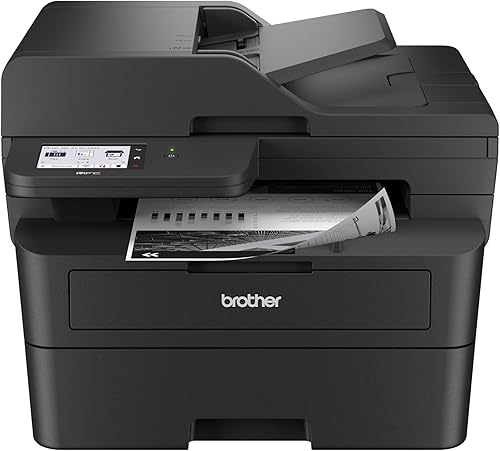
Brother MFC-L2900DW: Best for two-sided scanning
- Prints up to 36 ppm
- Single-pass duplex scanning
- 50-page auto document feeder
- 3.5-inch touchscreen
Single-pass duplex scanning helps when you handle two-sided pages often. This monochrome model also has a 50-page feeder, automatic duplex printing and a 3.5-inch touchscreen.
Pros
- Single-pass duplex scanning
- 50-page auto document feeder
- Wireless, Ethernet and USB
Cons
- Monochrome printing only
- Larger touchscreen and features may be more than occasional users need
The MFC-L2900DW stands out for single-pass two-sided scanning in a monochrome all-in-one. It also has a 50-page auto document feeder, automatic duplex printing and a 3.5-inch touchscreen.
Brother states print speeds up to 36 ppm. The model supports dual-band wireless, Ethernet and USB, and its touchscreen provides access to cloud services such as Google Drive, Dropbox and OneNote.
That combination is useful when you handle two-sided forms or records and want to scan both sides in one pass. If your scanning is mostly single pages, the compact DCP-L2640DW may cover the basics with fewer workflow features.
Choose it for recurring two-sided scanning and monochrome documents. Confirm that its footprint and fax function fit your workspace and needs.
Brother HL-L2480DW: Best for simple copy and scan

- Print, copy and scan
- Prints up to 36 ppm
- 250-sheet paper tray
- Automatic duplex printing
This monochrome 3-in-1 keeps the job list to printing, copying and scanning. It combines a flatbed scan glass with a 250-sheet tray and automatic duplex printing.
Pros
- Flatbed scan glass
- 250-sheet paper tray
- Wireless, Ethernet and USB
Cons
- No fax function
- Monochrome printing only
The HL-L2480DW is a monochrome 3-in-1 for printing, copying and scanning without fax. Its flatbed scan glass, 250-sheet paper tray and automatic duplex printing make it a practical option for a home desk with regular paperwork.
Brother states print speeds up to 36 ppm. The 2.7-inch touchscreen can print from and scan to popular cloud apps, while dual-band wireless, Ethernet and USB provide different connection paths.
The manual feed slot can handle envelopes and specialty paper. If you'll print those materials, check the printer's instructions for the supported media before loading a job.
Choose it when you want a compact monochrome printer with a flatbed scanner. If you need an auto document feeder for multi-page originals, consider one of the MFC or DCP models instead.
Brother HL-L3300CDW: Best for compact color documents

- Color print, copy and scan
- Prints up to 19 ppm
- Flatbed scan glass
- Dual-band wireless and Wi-Fi Direct
This color 3-in-1 adds copying and scanning without fax. The flatbed scan glass and dual-band wireless suit a small workspace that needs color documents.
Pros
- Color print, copy and scan
- Flatbed scan glass
- Wi-Fi Direct
Cons
- No fax function
- Print speed is up to 19 ppm
The HL-L3300CDW gives a small workspace color printing, copying and scanning without fax. Its flatbed scan glass keeps the setup straightforward for single pages and items that need to lie flat.
It prints at speeds up to 19 ppm and supports dual-band wireless, Wi-Fi Direct and USB. That is a more focused feature set than the color MFC models, which add fax and an auto document feeder.
Consider how often you scan several pages at a time before choosing it. The product details describe flatbed scanning, but do not state an auto document feeder.
Choose it for color documents and occasional flatbed scanning. For frequent multi-page work or fax, move up to a color MFC model.
Brother MFC-L5915DW: Best for high-volume monochrome teams

- Prints and copies up to 50 ppm
- 70-page auto document feeder
- Single-pass two-sided scanning
- Dual-band wireless and Gigabit Ethernet
The 50 ppm print and copy speed and 70-page feeder target busy workgroups. Single-pass two-sided scanning and Gigabit Ethernet support shared document workflows.
Pros
- Fastest stated print speed here
- 70-page auto document feeder
- Single-pass two-sided scanning
Cons
- Larger office-focused footprint
- Monochrome printing only
The MFC-L5915DW is aimed at busy monochrome workgroups that value speed and higher-volume scanning. It prints and copies at speeds up to 50 ppm, and its 70-page auto document feeder supports single-pass two-sided scanning.
Its stated scan speed reaches 56 ipm for two-sided pages. Dual-band wireless and Gigabit Ethernet support shared connections, while a 5-inch touchscreen can store shortcuts for frequently used workflows.
This is an office-oriented choice with a larger footprint than compact home models. It is monochrome, so choose a color all-in-one if your documents need color output.
Choose it when fast black-and-white printing and scanning are daily tasks. For a typical home office with lighter workloads, a smaller model may be easier to place.
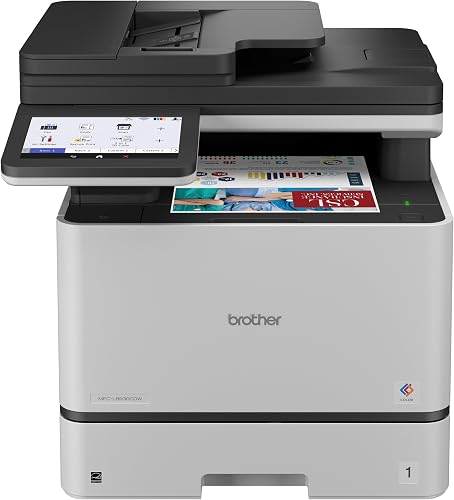
Brother MFC-L8930CDW: Best for demanding color teams
- Color print, copy and scan
- Prints and copies up to 33 ppm
- 80-page auto document feeder
- Two-sided scanning up to 104 ipm
This business color model pairs print and copy speeds up to 33 ppm with an 80-page feeder and fast two-sided scanning. Its 7-inch touchscreen supports scan previews and customized shortcuts.
Pros
- Two-sided scanning up to 104 ipm
- 80-page auto document feeder
- Dual-band wireless and Gigabit Ethernet
Cons
- Large and heavy for a home desk
- No fax function stated
The MFC-L8930CDW suits demanding color teams with frequent two-sided scanning. It prints and copies up to 33 ppm, and its 80-page auto document feeder supports two-sided scanning up to 104 ipm.
A 7-inch color touchscreen supports scan previews and up to 64 customized shortcuts. The model also offers dual-band wireless and Gigabit Ethernet, with scanning to cloud services, email and SharePoint.
This business-class model is large and heavy, so plan its placement before buying. Its feature set is most useful when several people share the machine and use its scanning and shortcut tools regularly.
Choose it for high-volume color office work and fast two-sided scanning. For a home office with occasional color pages, the smaller HL-L3300CDW or MFC-L3780CDW may be a better fit.
How should you choose a Brother all-in-one laser printer?
Choose by color, fax, document feeder and scanning needs. Those four checks separate the compact home-office models from the faster, larger machines for shared work.
Does a Brother all-in-one laser printer need color?
A monochrome model is enough for text pages, forms and black-and-white copies. Pick a color model when charts, presentations or other documents need color output.
Brother's color all-in-one choices here include the MFC-L3780CDW, MFC-L3720CDW, HL-L3300CDW and MFC-L8930CDW. The MFC and HL models differ in their listed functions, feeder features and print speeds.
Do you need fax?
Choose a model with fax if you send or receive faxes as part of your work. The MFC-L2820DW, MFC-L3780CDW, MFC-L3720CDW and MFC-L2900DW list fax functionality in their names or descriptions.
The DCP-L2640DW and HL models focus on print, copy and scan. Matching the function set to your routine can help avoid a printer that's missing a task you rely on.
How often will you scan multi-page documents?
An auto document feeder helps when you scan or copy a stack of pages. The smaller options here include 50-page feeders, while the MFC-L5915DW and MFC-L8930CDW offer 70-page and 80-page feeders, respectively.
For two-sided originals, check whether single-pass duplex scanning is stated. The MFC-L2900DW, MFC-L3780CDW, MFC-L5915DW and MFC-L8930CDW call out two-sided scanning features.
How much print speed do you need?
Print speed matters most when a queue builds up or several people share the printer. Brother lists speeds up to 50 ppm for the MFC-L5915DW, while several compact monochrome models reach up to 36 ppm.
Color speeds vary across these picks. The MFC-L3780CDW reaches up to 31 ppm, while the MFC-L3720CDW and HL-L3300CDW are listed at up to 19 ppm.
Which connections fit your devices?
Choose a connection that works with your network and computers. Several models include dual-band wireless, while some also state Ethernet, Wi-Fi Direct or USB connections.
For a shared office network, Ethernet may be useful; for a single computer, USB offers a direct connection. Check the model's stated options against the devices and network you plan to use.
Which Brother all-in-one laser printer should you pick?
Pick the DCP-L2640DW for compact monochrome printing, copying and scanning, and choose the MFC-L3780CDW when you need color and fax. For high-volume black-and-white work, the MFC-L5915DW pairs a 50 ppm print speed with a 70-page feeder.
If two-sided scanning is central to your workflow, compare the MFC-L2900DW and MFC-L8930CDW by color needs and volume. Our guide to Brother laser printers and what owners report can help with a broader brand comparison.
Our top 3 picks at a glance
-
1
-
2
-
3